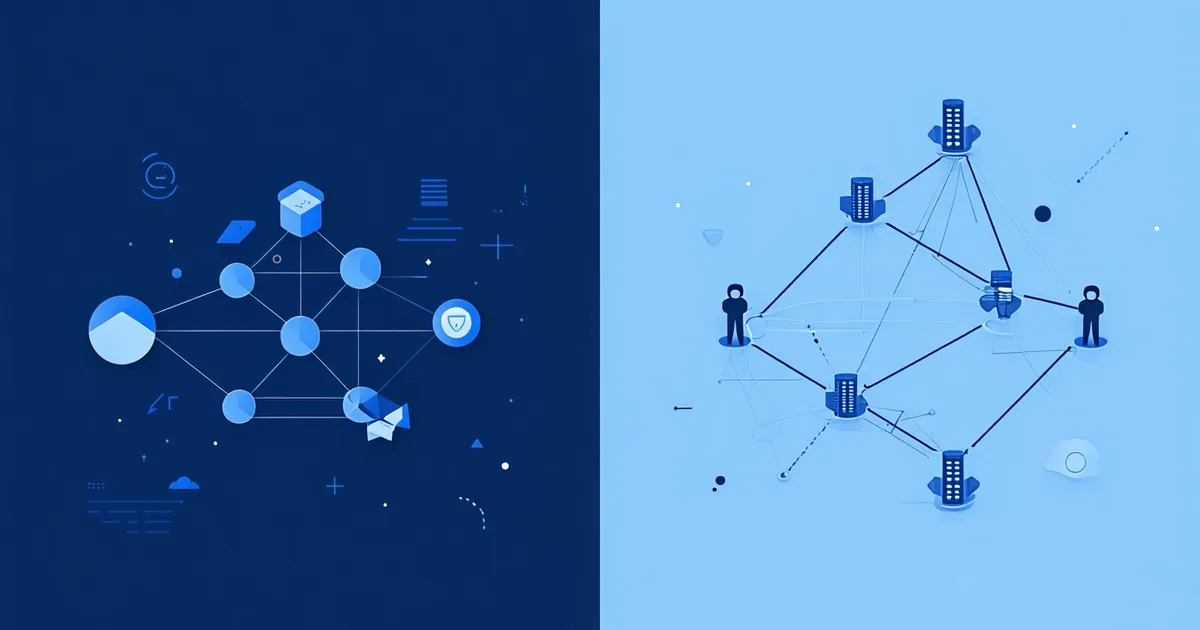
The terms "automation" and "orchestration" are used interchangeably in most product marketing — including, at times, our own. But they describe fundamentally different things, and conflating them is why so many ops teams hit a ceiling with their automation stack right around the time their workflows start to matter most.
Understanding the distinction is not academic. It determines what tool architecture is appropriate for your ops stack, where your current tools will break under operational load, and how to design workflows that stay reliable as they scale in complexity.
What Automation Is (and What It Isn't)
In the narrow, precise sense, automation is the execution of a single predetermined action in response to a trigger, without human intervention. A button that sends a templated email when clicked. A form submission that creates a CRM contact. A calendar event that triggers a task creation. These are automations: discrete, stateless, trigger-action pairs.
The defining characteristics: an automation fires once per trigger event, executes a single action (or a flat sequence of actions), and doesn't need to maintain state about what happened in previous steps to decide what happens in the next one. If the action fails, the automation either retries or doesn't — there's no concept of "the previous three steps succeeded, so we should handle this failure differently."
Simple automation is enormously valuable for this use case. A Slack notification when a deal moves to a new stage doesn't need to be orchestrated. A task creation when a form is submitted doesn't need state. For these, a lightweight trigger-action tool does the job well, and adding orchestration infrastructure would be overkill.
Where Automation Breaks Down
The problems appear when the workflow needs to make decisions based on the outputs of previous steps, handle failures at specific steps without abandoning the entire run, or coordinate state across multiple systems that may respond at different times.
Consider a customer onboarding workflow: when a deal is marked Closed Won, the workflow needs to (1) create a project in the project management tool, (2) provision the customer's account in the product using the newly created project ID from step 1, (3) send a welcome email with the account credentials from step 2, (4) assign a customer success manager based on deal tier and geography, and (5) schedule the kickoff call based on the CSM's availability. Steps 2, 3, 4, and 5 all depend on the outputs of previous steps. Step 2 requires the project ID from step 1. Step 3 requires the account credentials from step 2. If step 2 fails, steps 3, 4, and 5 should not run — but step 1's output (the created project) should be preserved so the run can be resumed from step 2 once the provisioning issue is resolved.
This is not an automation problem. It's an orchestration problem. The difference is state: orchestration manages what happened in previous steps and uses that state to determine what should happen next, including when and how to handle failures at each step.
The Technical Distinction: State and Step Awareness
An orchestrator maintains a persistent execution context for each workflow run. As each step executes, the orchestrator records the step's input, output, status, and any errors. If a step fails, the orchestrator knows exactly where in the sequence the failure occurred and what state the run was in at that point. It can retry the specific failed step with the correct input, escalate it to a dead-letter queue if retries exhaust, or pause the run and wait for a manual approval before proceeding.
A simple automation runner doesn't maintain this step-level state. It fires actions sequentially and records whether the overall run succeeded or failed. If step 3 of a 7-step sequence fails, the runner marks the run as failed. The steps that already completed don't get rolled back (they already executed against external systems — those side effects are permanent). The steps that haven't run yet don't get executed. The run is simply over.
For a low-stakes automation, this is acceptable: if a non-critical notification fails to send, marking the run as failed and moving on is fine. For a business-critical workflow where each step creates real state in external systems — customer accounts, CRM records, provisioning databases — partial completion without a recovery path creates data integrity problems.
Orchestration in Practice: Three Properties That Matter
When evaluating whether a workflow needs orchestration rather than simple automation, three properties are most diagnostic:
Step-level output propagation. Does step N need data produced by step N-1? If yes, you need an orchestrator that can carry output state between steps. Simple automation tools typically pass the original trigger payload through the entire workflow, not the intermediate outputs generated by each step.
Failure isolation and recovery. If step N fails, should the workflow abort, retry that specific step with backoff, or pause and wait for manual intervention? The answer depends on the step. An orchestrator can apply different failure policies to different steps within the same workflow run. A simple runner applies a single failure policy to the entire run.
Asynchronous step resolution. Some steps don't complete synchronously. An approval gate waits for human input. A webhook-triggered step waits for an external event. An API call to a slow data processing service may take minutes. An orchestrator can pause a run at these steps, release the execution thread, and resume the run when the async step resolves — without holding open a connection or blocking other runs. A simple automation runner that calls a blocking API and waits for a response will time out on long-running steps.
The No-Code Context: What Most Tools Actually Provide
Most no-code automation tools sit somewhere on a spectrum between pure trigger-action automation and full orchestration. The practical question is where on that spectrum your current tool sits, and whether that's sufficient for the workflows you're building.
Tools that are predominantly automation tools will offer multi-step sequences, some conditional branching, and basic error handling (retry count, stop on error). They typically don't maintain per-step execution state persistently — if you need to inspect what a specific step produced in a run that happened two weeks ago, that data may not be available. They may not support async step resolution natively. For many RevOps and BizOps workflows, this is sufficient.
Tools that provide true orchestration primitives will offer step-level execution history, differentiated retry policies per step, explicit DLQ handling, async wait states, and workflow versioning so that in-flight runs on an old workflow version complete correctly when you deploy a new version. These are meaningful capabilities that matter for workflows running at volume against business-critical data.
We're not saying every ops team needs full orchestration infrastructure. For teams running 10–15 workflows with low volume and recoverable failure modes, a solid multi-step automation tool is the right fit. The signal that you've outgrown automation and need orchestration is when your team is spending meaningful time debugging partial workflow runs, manually recovering data that got dropped mid-sequence, or maintaining workflow logic that tries to recreate step-level state tracking inside the tool's existing constructs.
Design Implications for Your Ops Stack
The automation vs. orchestration distinction has a practical implication for how you think about what to build with what tool. Not every workflow needs orchestration, and not every ops team needs to run an orchestration platform for everything. A mature ops stack often uses both: a lightweight trigger-action layer for high-volume, low-stakes single-action automations (Slack notifications, task creations, simple CRM field updates), and an orchestration layer for multi-step, stateful, business-critical sequences (customer onboarding, approval workflows, revenue-impacting data sync).
The test when designing a new workflow: does this workflow need to make decisions based on the output of a previous step? Does a failure in step N need to be handled differently based on which steps already completed? Does any step wait for an async response? If the answer to any of these is yes, you're describing orchestration requirements. Build it on a tool that supports them, or you'll spend months adding workarounds to a tool that wasn't designed for the problem you're solving.
The vocabulary distinction between automation and orchestration is not about complexity for its own sake. It's a shorthand for a cluster of architectural requirements — step state, failure isolation, async resolution, run history — that determine whether your workflow infrastructure can handle operational reality or only the happy path.